CH 01
Color waveform
Lows in red, mids in green, highs in blue: read a track's structure at a glance.
- Low
- Mid
- High
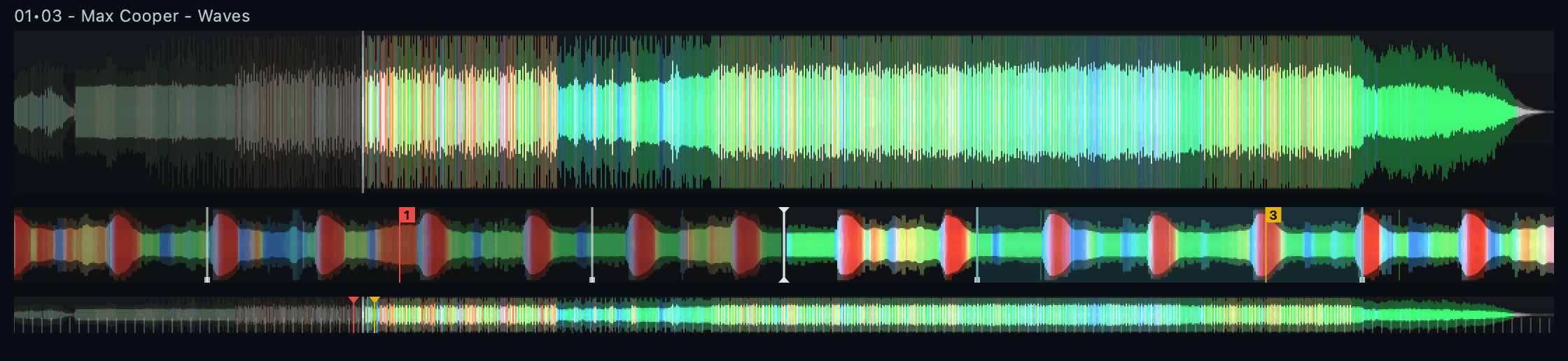
Click anywhere on the waveform to jump there.
macOS first · Windows & Linux coming soon
Library, bit-perfect playback and a two-deck DJ mixer in one app, built for the Mac first. From 16-bit FLAC to 24-bit / 384 kHz and DSD, untouched.
Supported formats: FLAC, WAV, AIFF, ALAC, MP3, AAC, Ogg Vorbis, DSF, DFF, up to 768 kHz, DSD64 → DSD256 (DoP)
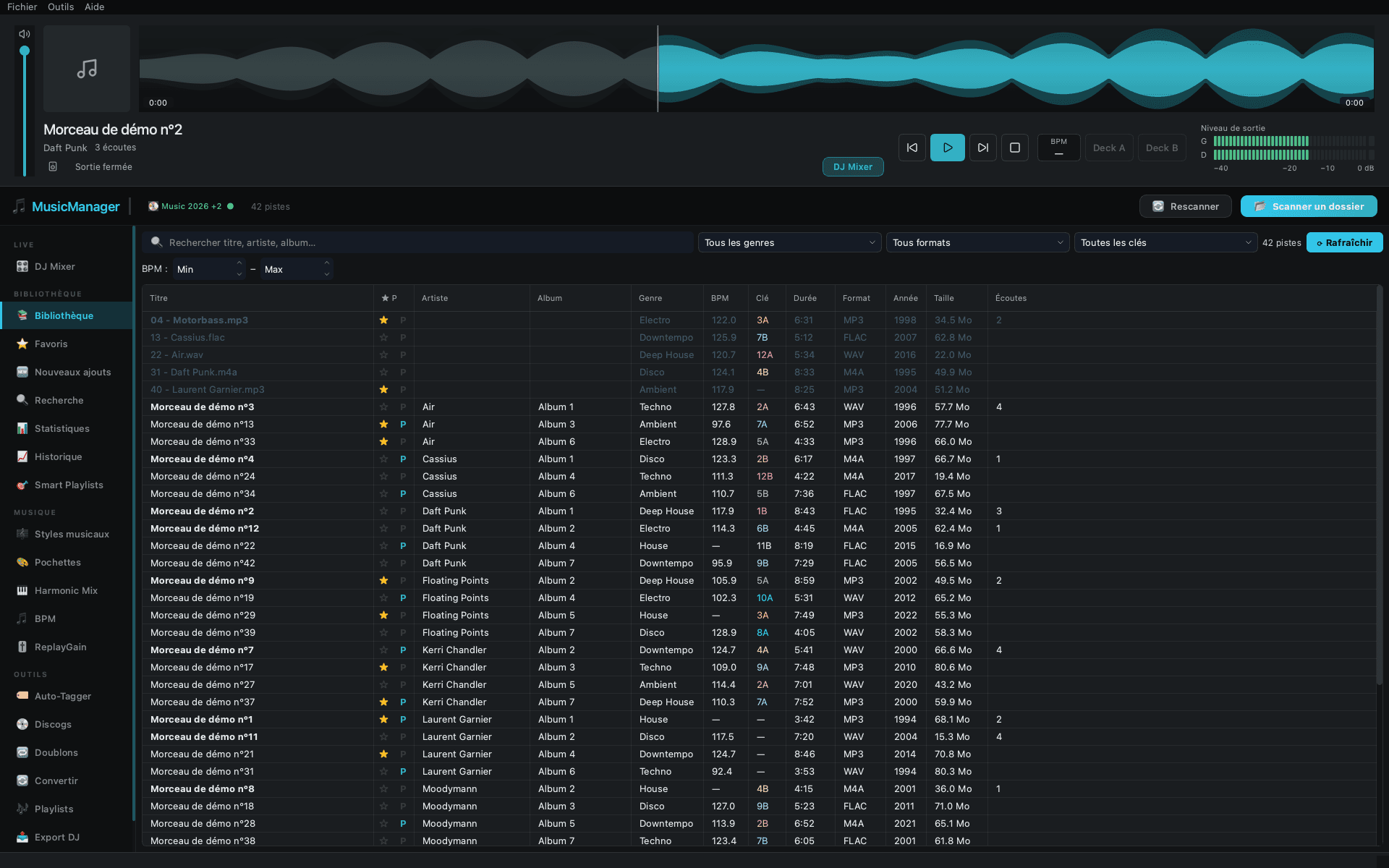
Browse, listen, mix. The same library feeds all three, and nothing is copied or imported twice.
01 / 03
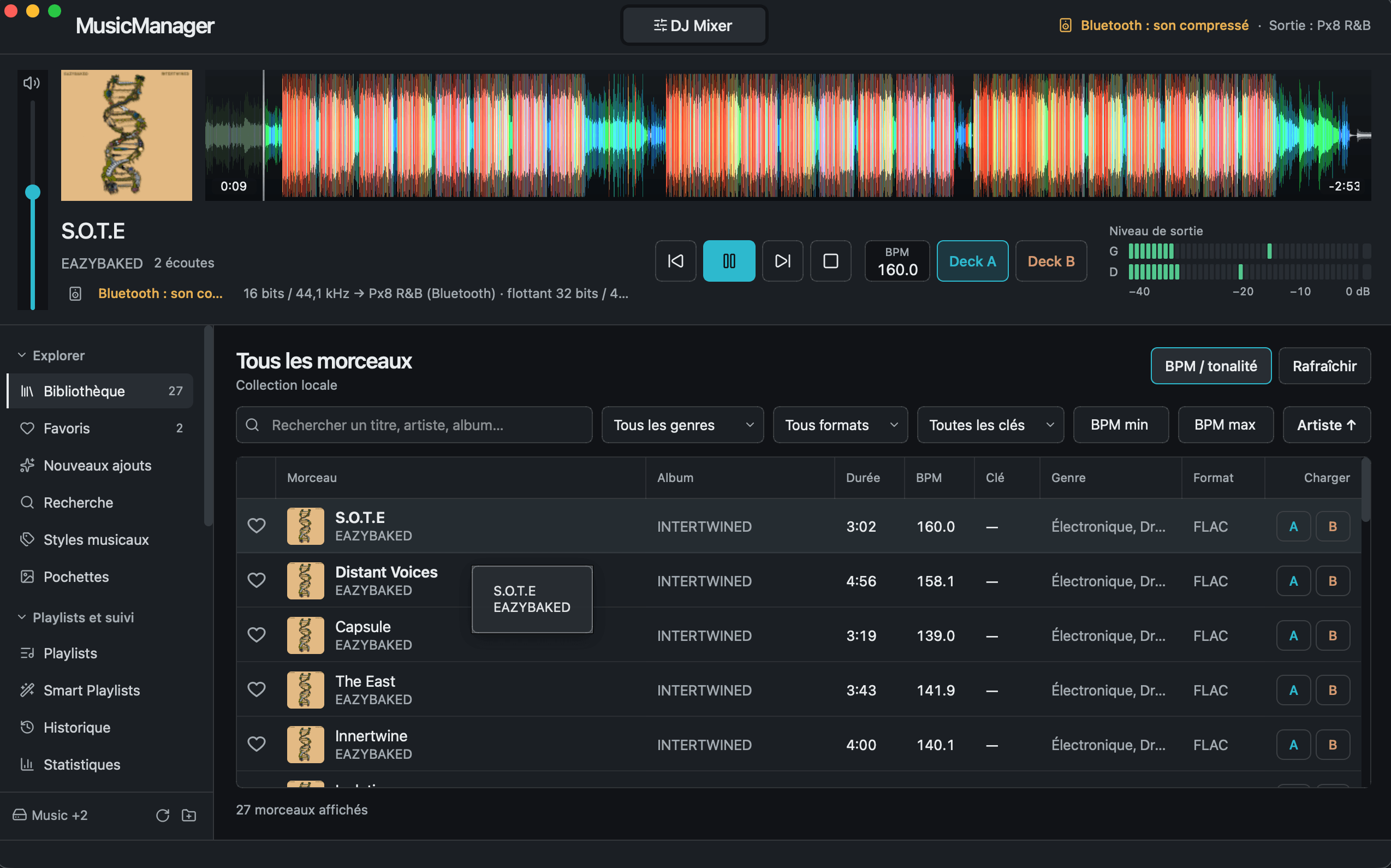
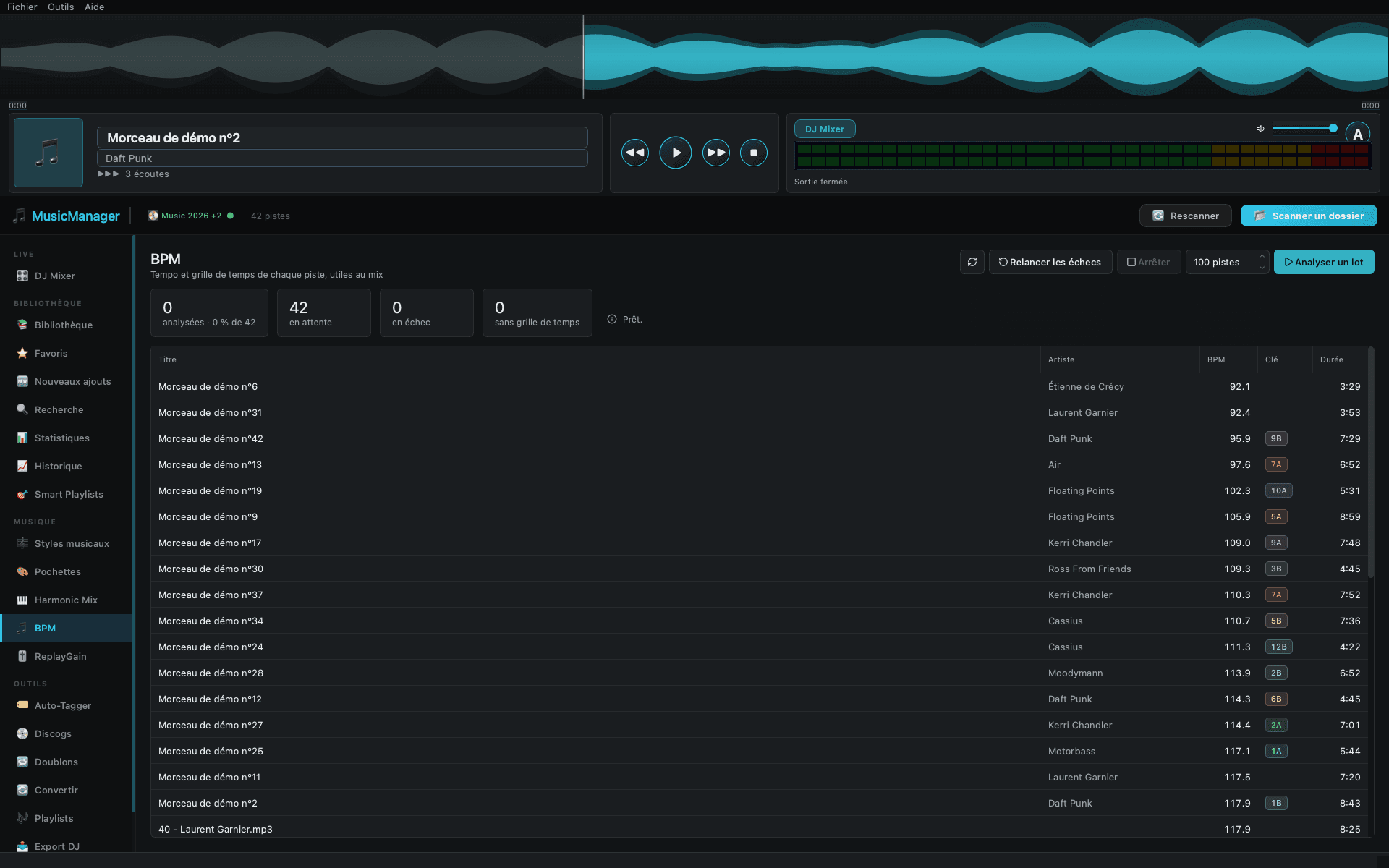
Artwork, BPM, Camelot key and one-click loading onto deck A or B, on every row.
02 / 03
A large color waveform, a real VU meter and the actual output quality, always in view.
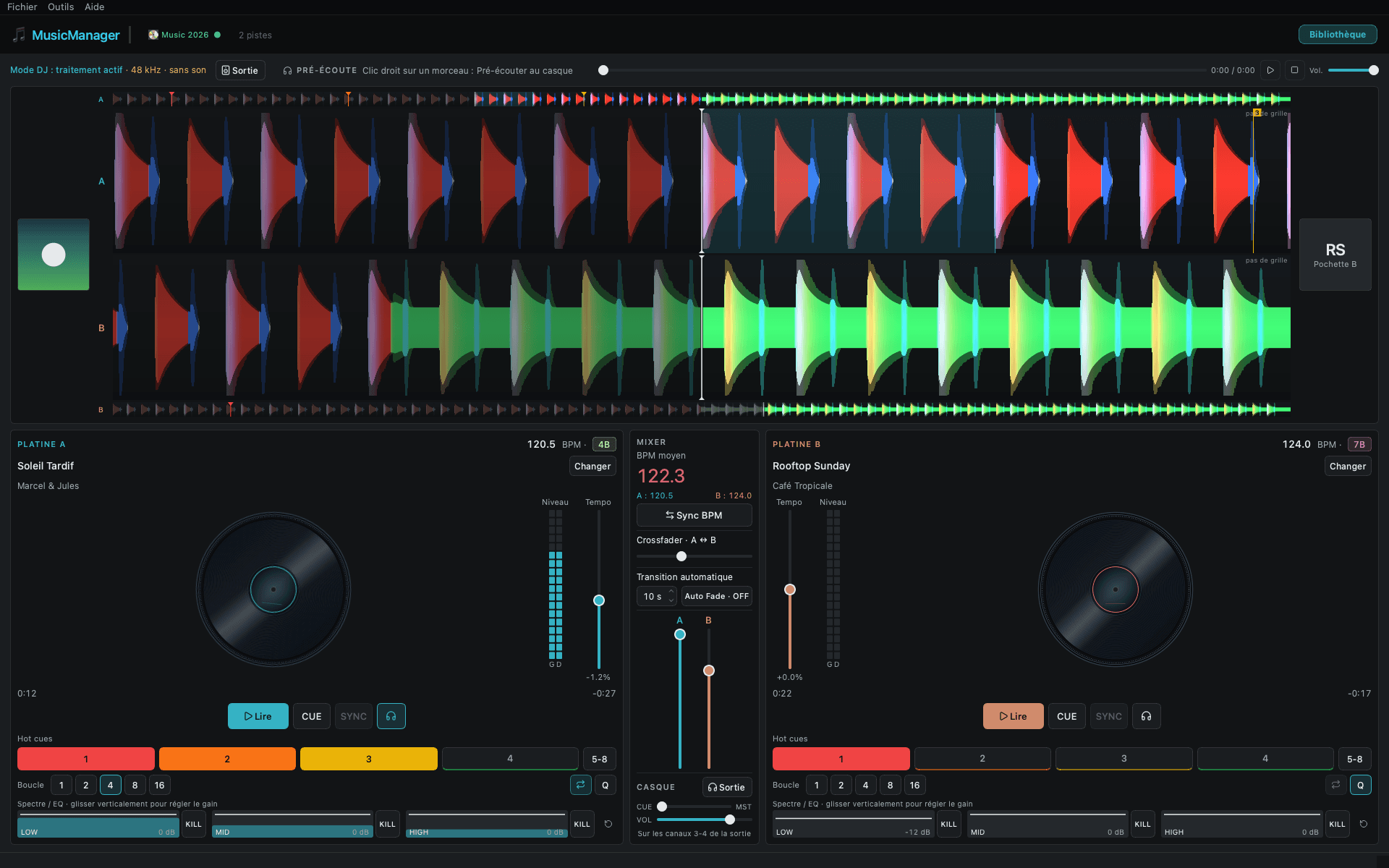
03 / 03
Two decks, a center mixer and stacked waveforms with beat grid, hot cues and loops.
Signal path
MusicManager shows what actually reaches your speakers. When the chain is clean, it says so. When it isn't, it tells you why.
File
FLAC 24/192
MusicManager
Output
USB DAC
192 kHz · 24-bit
The DAC is set to the track's sample rate and receives the samples as integers, unchanged.
On 32-bit integer output, macOS keeps 24 bits; the app shows “24-bit effective”.
Hi-fi
The app sets your sound card to each track's sample rate and sends the samples as they are: no conversion, no software volume. The mode is always shown: Bit-perfect, Resampled 192 → 96 kHz, or Bluetooth (compressed). Nothing is hidden.
DJ
Two decks with tempo and phase SYNC, keylock, 8 hot cues, 1 to 16-beat loops locked to the grid, a 3-band EQ with KILL, and headphone cueing on a second output. Tracks stay at 24-bit with dither.
Collection
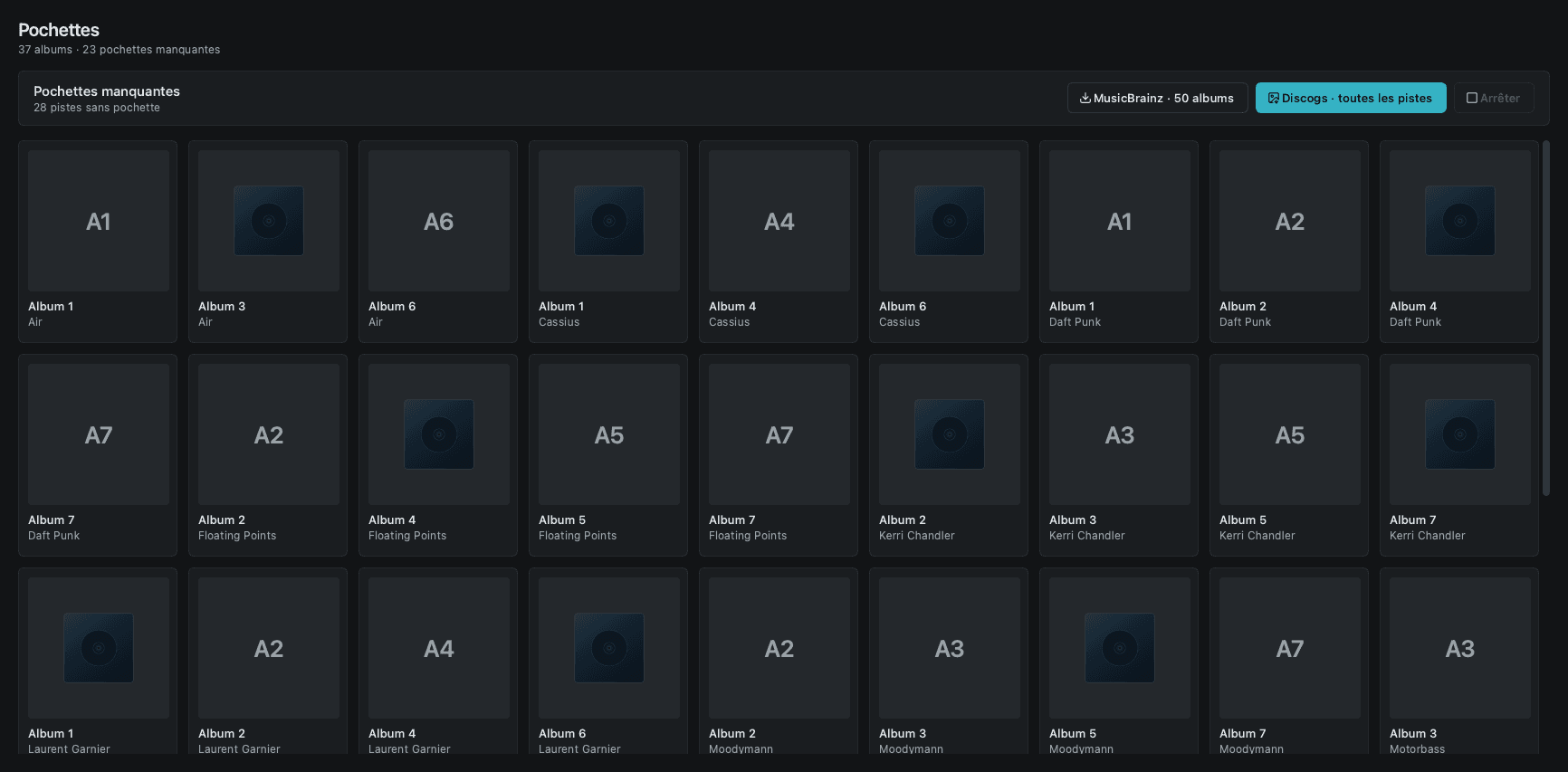
BPM, beat grid and Camelot key analyzed automatically. Tags completed from MusicBrainz and Discogs, keeping only the artist's official album, never a random compilation. High-resolution artwork.
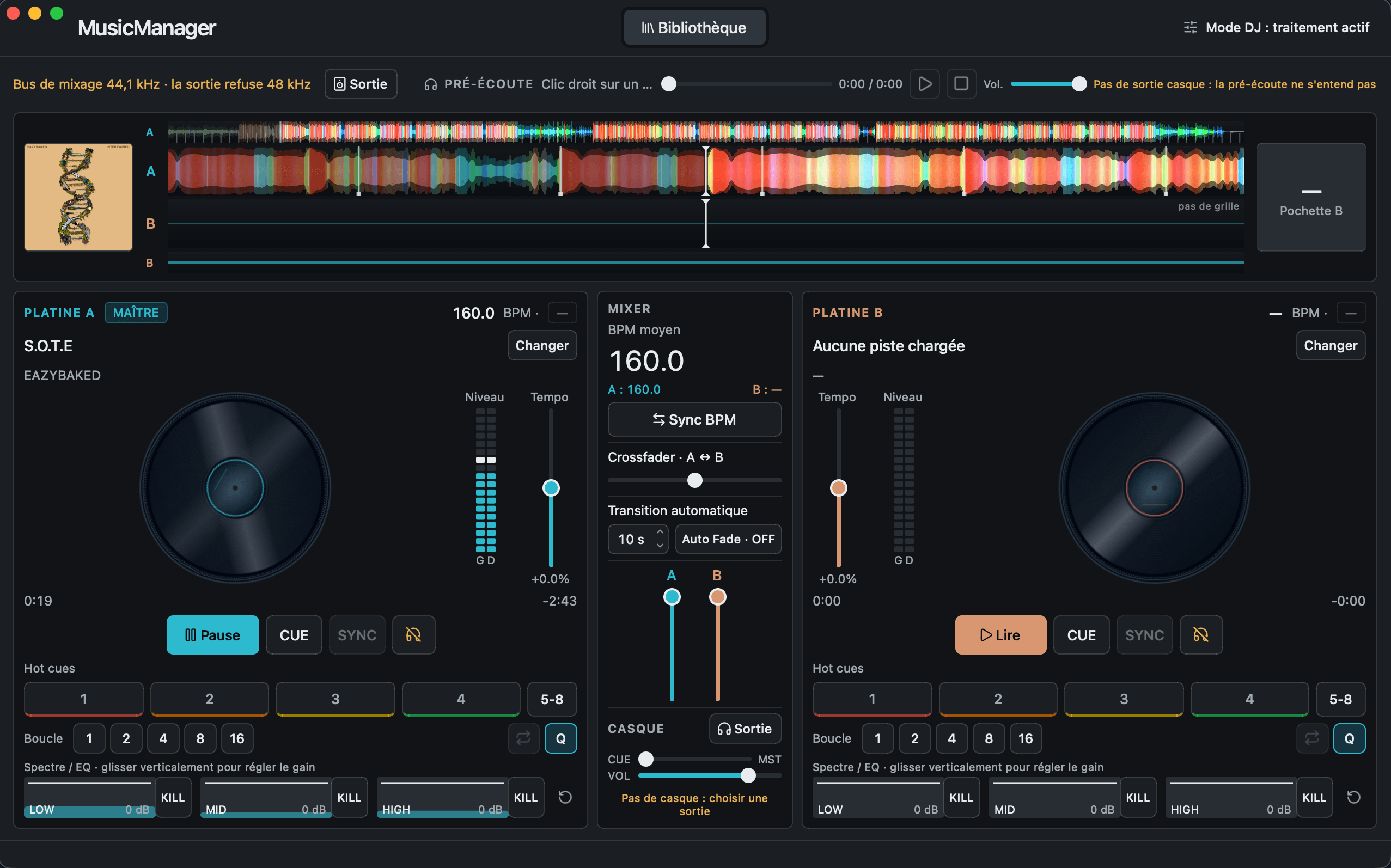
Switch to the DJ Mixer while a track is playing. It keeps going on deck A or B, at the same position, and you pick the next one. The way back works too.
S.O.T.E · EAZYBAKED160.0 BPM
Same track, same position. No reload, no silence.
Four parts of the app that most players leave out, shown as they work.
Lows in red, mids in green, highs in blue: read a track's structure at a glance.
Click anywhere on the waveform to jump there.
The file reaches your streamer untouched, up to 24/384 and DSD, with gapless playback.
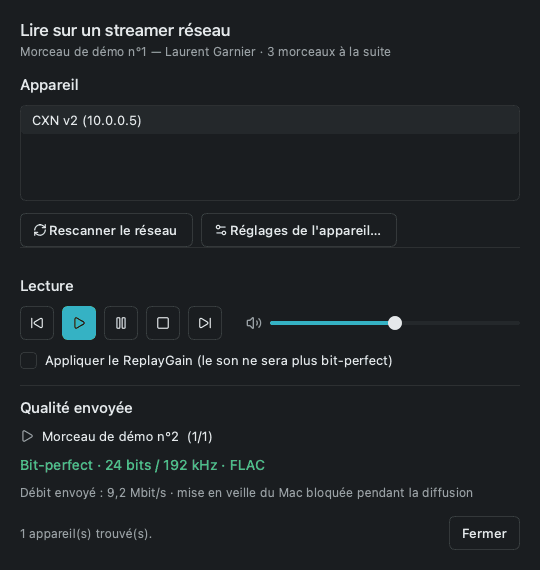
OpenHome devices (Linn, Naim, Audiolab, Cambridge…) receive the whole queue.
DSF and DFF playback, DoP to compatible DACs, high-quality PCM conversion for the rest.
PCM conversion keeps in-band noise at −123 dB.
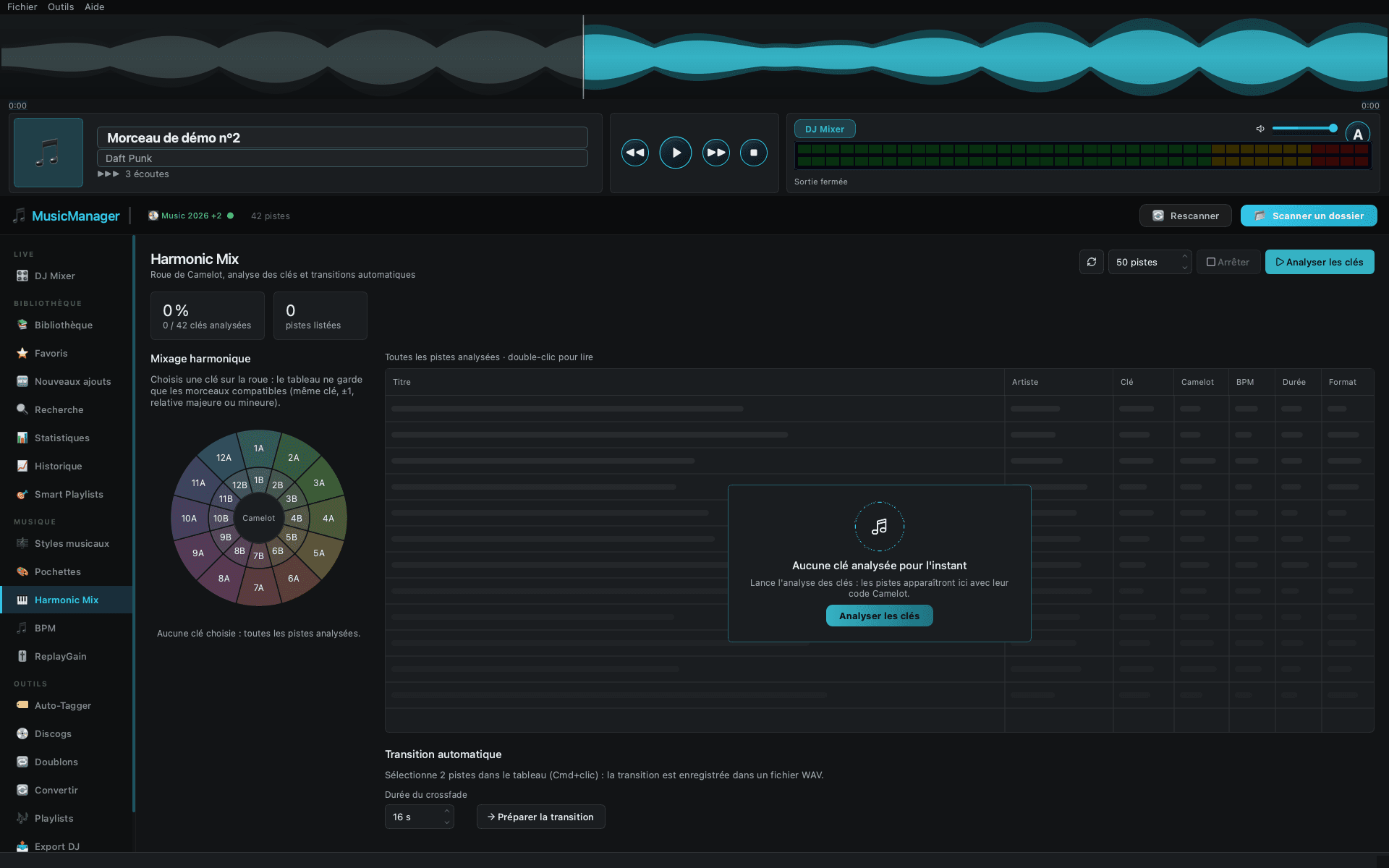
The Camelot wheel suggests the tracks that fit the one you're playing.
Mixes with 8A
Pick a key: same number, one step either way, or its relative major / minor.
The sound card follows each track's sample rate, and the header shows what you actually hear.
The track carries on on deck A or B, at the same position. It works the other way too.
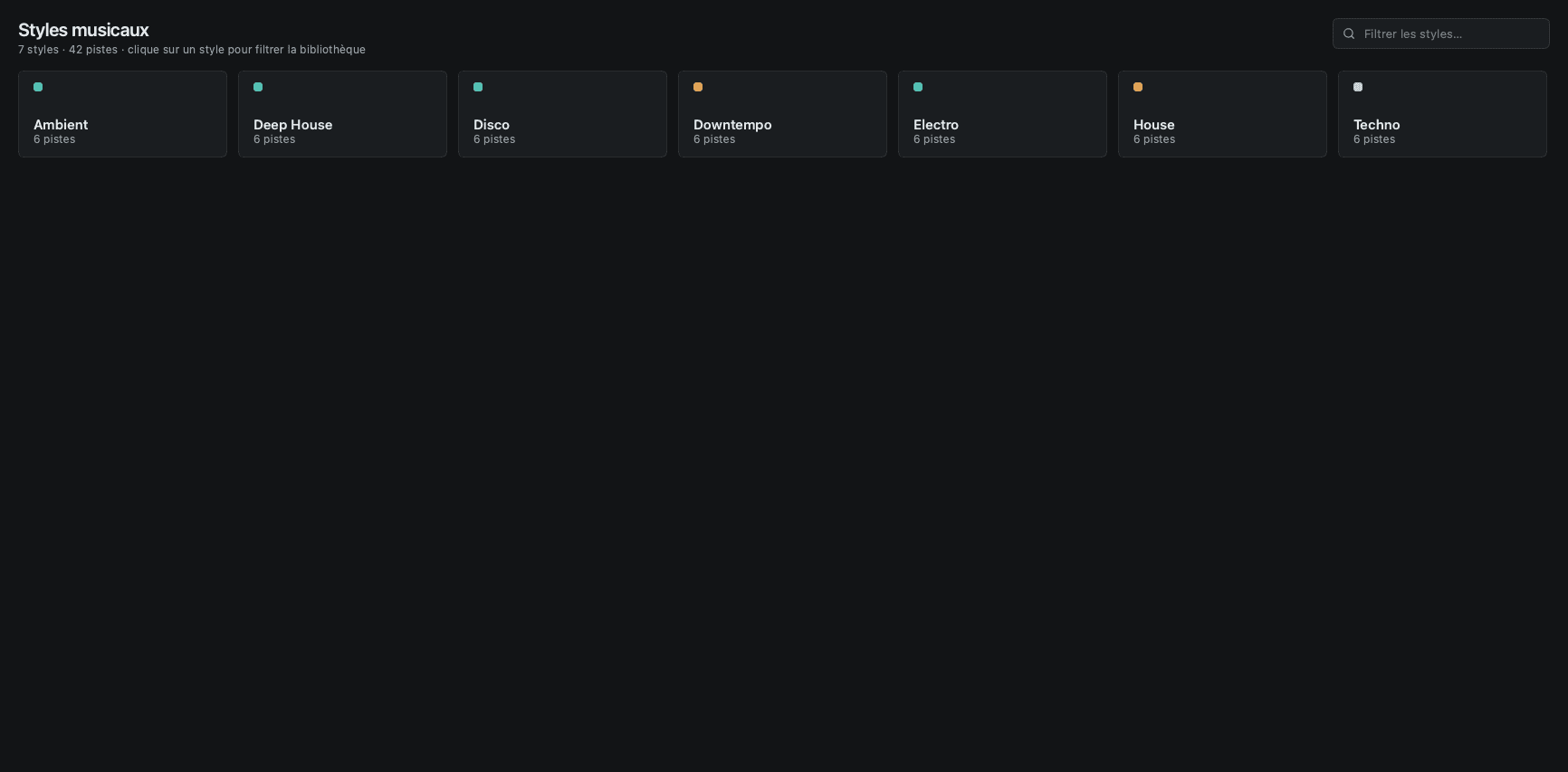
The library opens in about 100 ms. Filter by genre, format, key and BPM range.
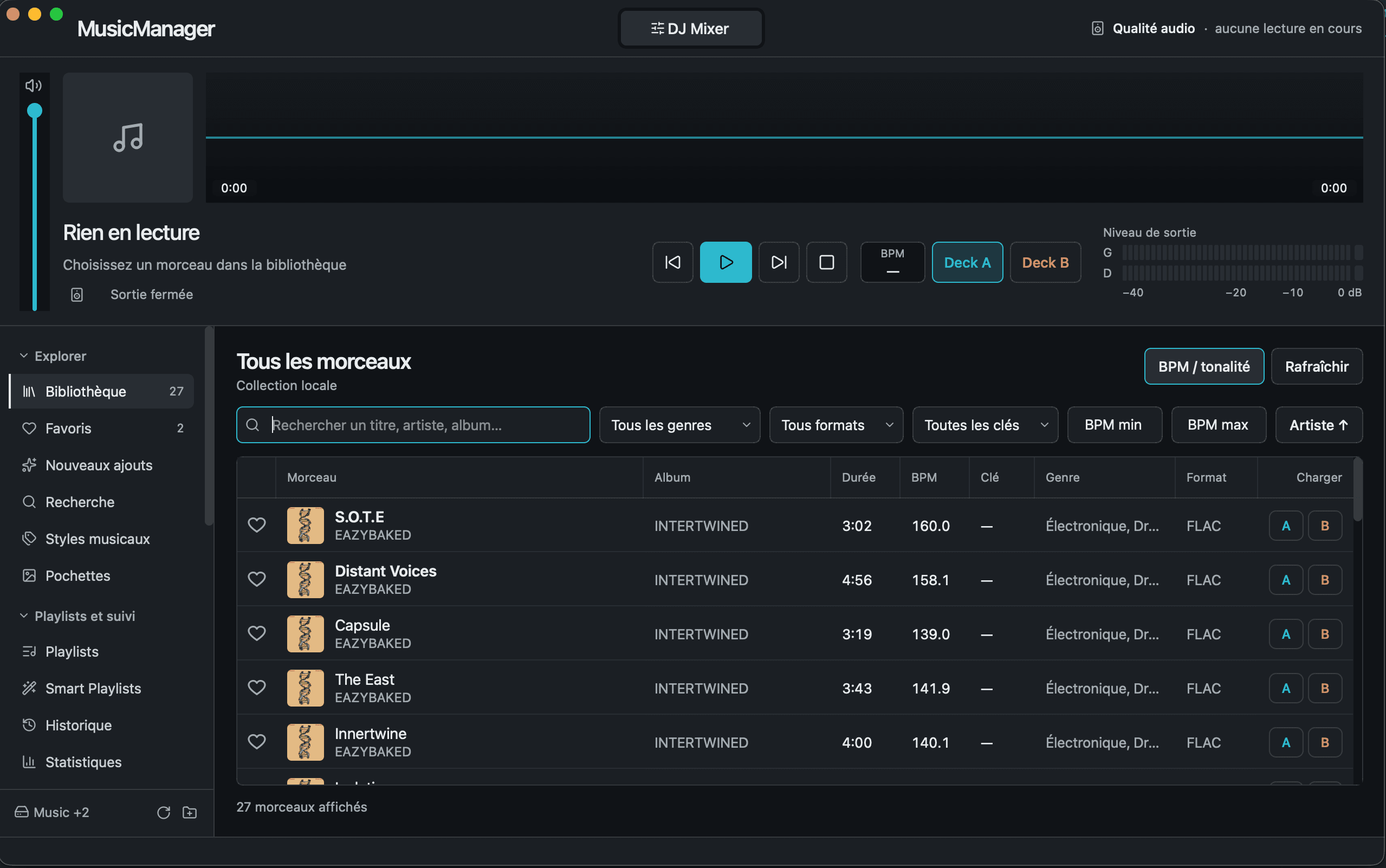
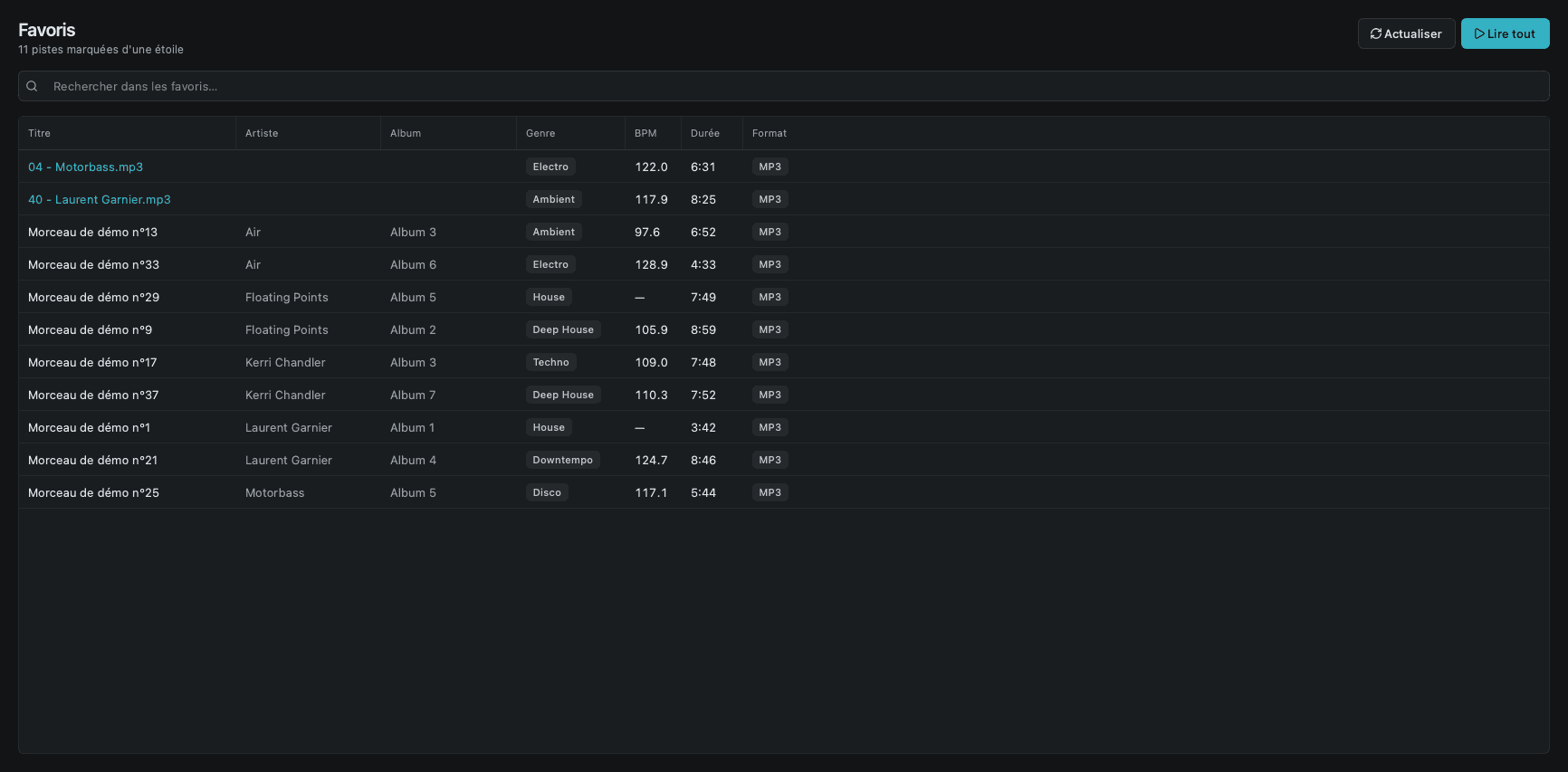
Renamed or moved files keep their favorites, ratings, BPM, hot cues, playlists and history.
~/Music/Incoming/track07.flac
~/Music/House/Marcel & Jules - Soleil Tardif.flac
Six families of features, then the smaller tools you'll use every week.
Your sound card is set to each track's sample rate and receives the samples as they are, from 16-bit / 44.1 kHz up to 768 kHz. The real output quality is always on screen.
DSF and DFF playback, DSD64 to DSD256 over DoP to compatible DACs, and high-quality PCM conversion for the others.
Files go to your streamer untouched, up to 24/384 and DSD256, with gapless playback. OpenHome devices receive the whole queue.
Two decks with SYNC, keylock, 8 hot cues, grid-locked loops, a 3-band EQ with KILL and headphone cueing on a second output.
BPM, beat grid and Camelot key computed in the background. Tags completed from MusicBrainz and Discogs, artwork up to 1200 px.
50,000 tracks open in about 100 ms. Renamed or moved files keep their favorites, ratings, hot cues and playlists.
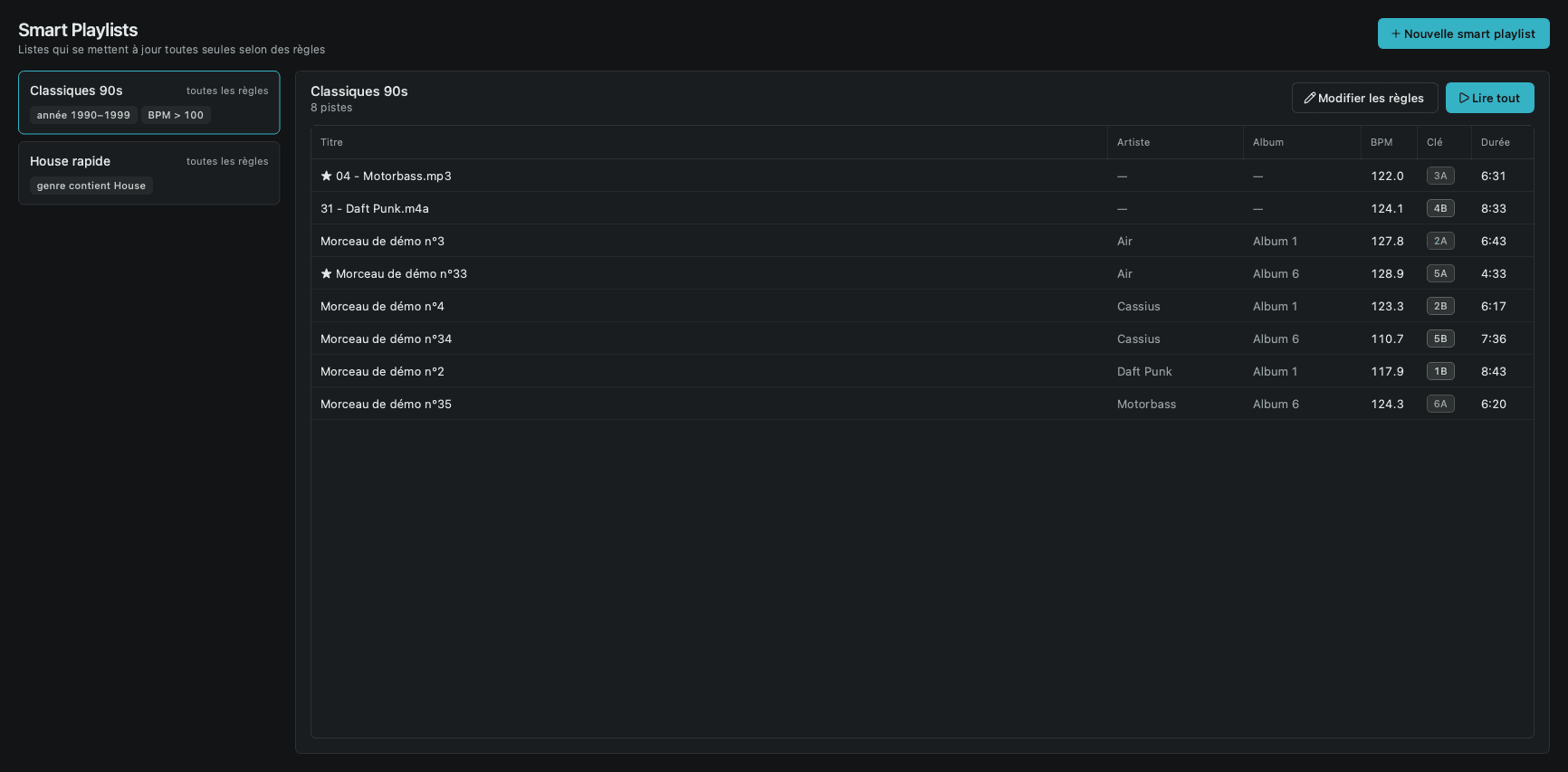
Smart Playlists
Rule-based playlists that update themselves.
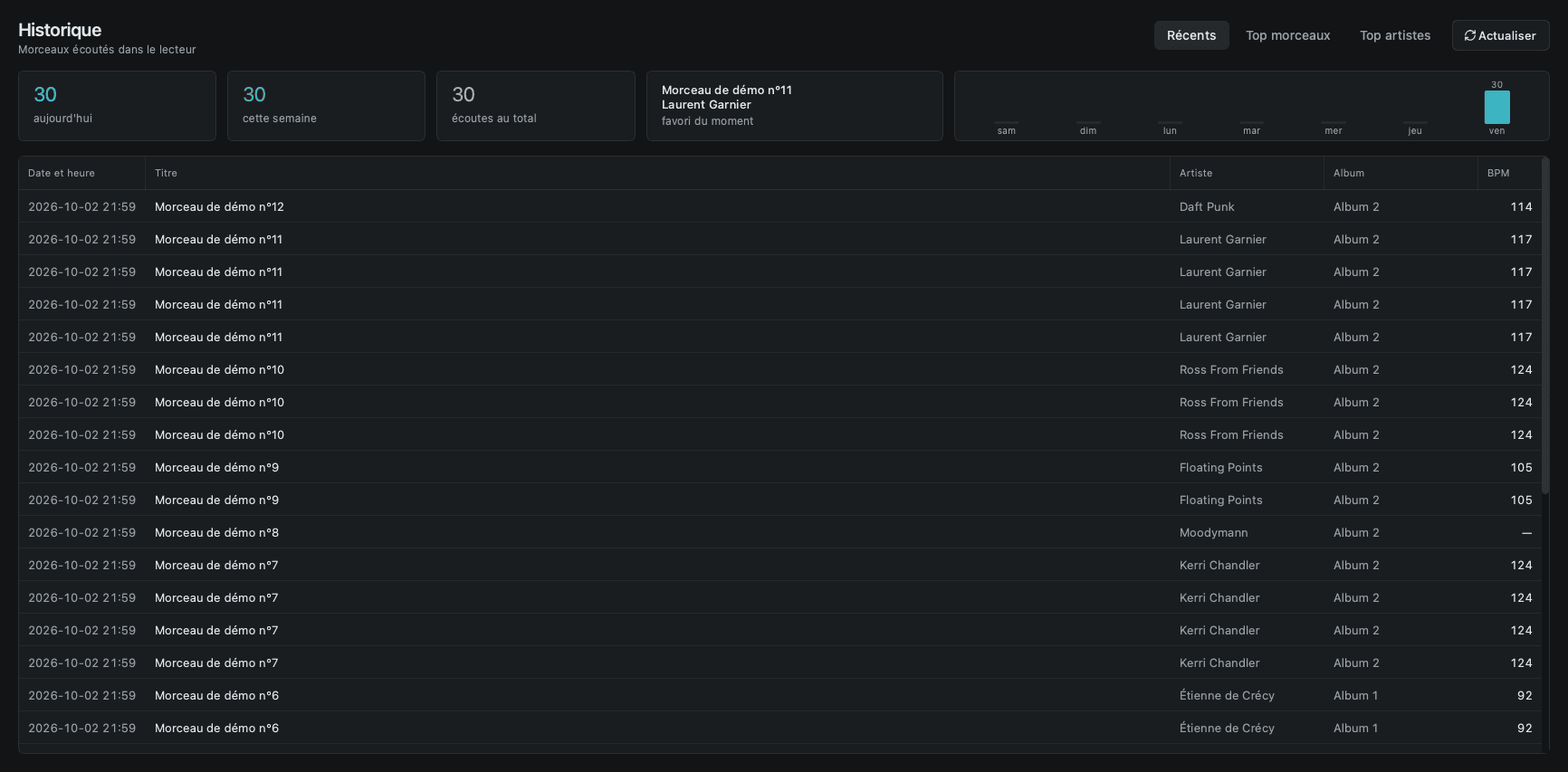
History & new tracks
Every play logged, recent additions in one place.
Statistics
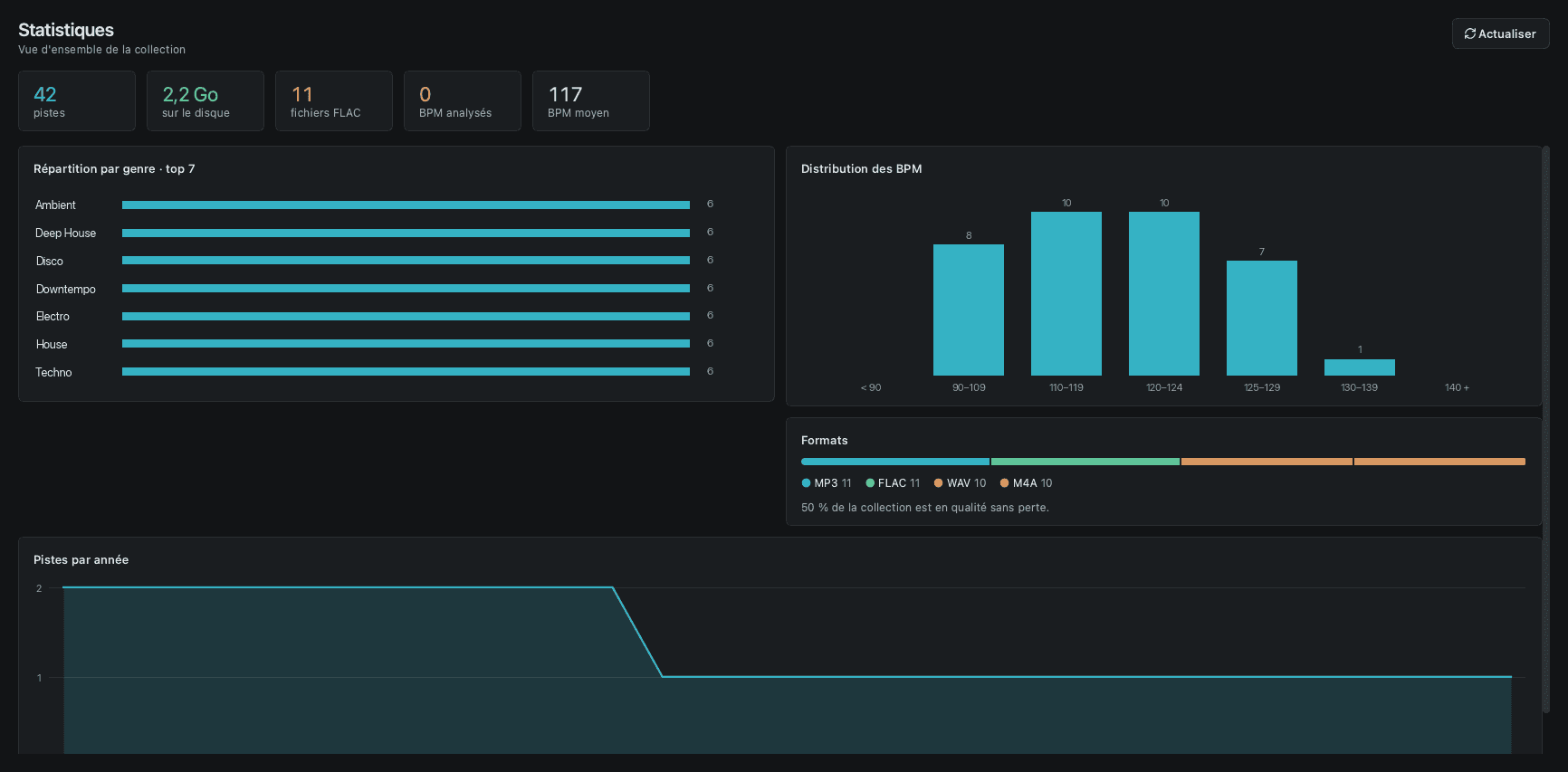
Genres, BPM by tempo, formats and the lossless share, years, top tracks.
Duplicates
Found, then checked before anything is removed.
Library cleanup
Low-bitrate or incomplete files, listed for review before anything is deleted.
Format conversion
Bit-exact to WAV, AIFF and FLAC, hi-res included, plus MP3 and Ogg.
DJ export
Rekordbox XML, WAV files or a CSV sheet, for the whole library, a genre or a playlist.
ReplayGain
EBU R128 at −14 LUFS, 0.3 s per track, within 0.01 dB of reference tools.
Auto-import
New downloads move into the library on their own.
Folder watching
Unplugging a drive never empties your library.
Exclusive mode (macOS)
On external DACs, no other app mixes into the sound.
Per-device profiles
Mac speakers, headphones, HDMI, USB DAC or Bluetooth, each remembered.
Keyboard shortcuts (macOS)
Space to play, arrows to seek 10 s (30 s with Shift), Cmd + arrows for tracks and volume.
Media keys & Now Playing (macOS)
Keyboard media keys and the Control Center widget.
Tag editing
Serato, Rekordbox and Traktor data left untouched.
Headphone cueing
On a second output, with the delay between the two cards compensated.
Try everything for free, then keep it with a one-time license. No subscription.
Try it on your own library, with your own DAC.
Pay once. Your library stays yours.
For the first people on the waitlist.
Prices are indicative until launch.
Questions, answered plainly.
What the app does, what it doesn't, and what your setup needs. Anything missing? Ask us when you join the waitlist.
Waitlist
Leave your email and we'll let you know when it's out.